Access levels
Control what each member of your organization can see and do in Draxlr.
Every member you invite to your Draxlr organization is assigned an access level. The access level decides which parts of the product a member can use — databases, saved queries, dashboards, and automations — and, for row-level security, exactly which rows of your data they can see.
Access levels are managed from Team (Organization → Team). Admins invite new members with the Invite button and change an existing member's level from the Edit Access action.
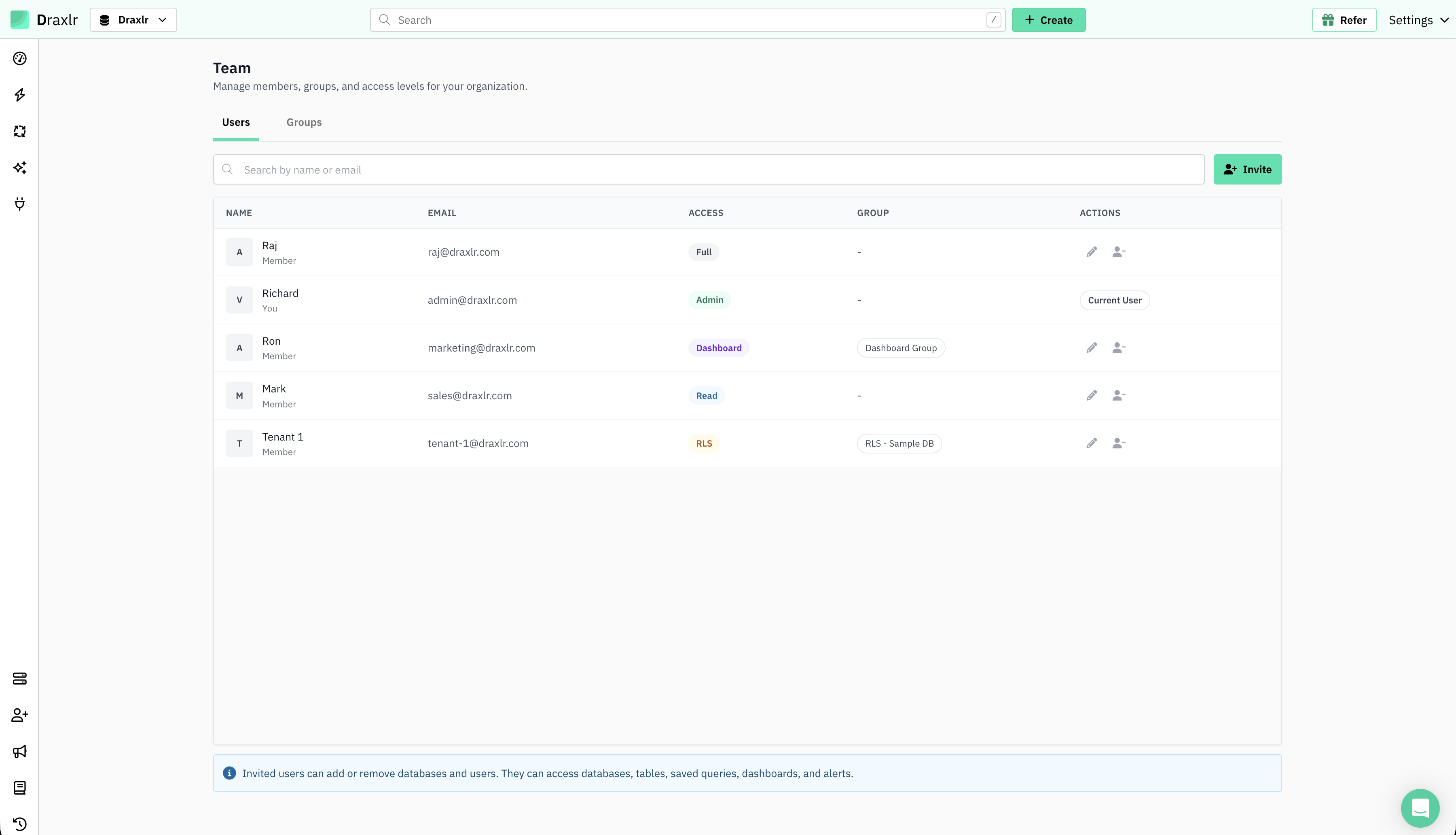
The five access levels
Full control of the product, plus users and billing.
Full control of the product, without users or billing.
View-only access across the product.
View only the dashboards shared with a group.
Explore data, but only the rows a group permits.
What each level can do
| Capability | Admin | Full | Read | Dashboard | RLS |
|---|---|---|---|---|---|
| View dashboards | ✅ | ✅ | ✅ | Assigned only | Own + scoped* |
| Manage dashboards | ✅ | ✅ | View | ❌ | Own only* |
| Explore & run queries | ✅ | ✅ | View | ❌ | Scoped rows |
| Manage saved queries | ✅ | ✅ | View | ❌ | Own only* |
| Manage databases | ✅ | ✅ | View | ❌ | ❌ |
| Manage automations | ✅ | ✅ | View | ❌ | ❌ |
| Manage users & billing | ✅ | ❌ | ❌ | ❌ | ❌ |
| Sees all rows | ✅ | ✅ | ✅ | — | ❌ (restricted) |
RLS: own vs. inherited:
RLS members have their own dashboards and saved queries, which they can fully create, edit, and delete. They can also open the dashboards and saved queries inherited from Admins — always scoped to their permitted rows — but cannot edit those.
Simple vs. group-based levels
Admin, Full, and Read are simple, organization-wide levels — you pick one and you're done.
Dashboard and RLS are custom levels backed by a Group, and members are attached to that group.
For Dashboard, the group defines which dashboards members can view.
For RLS, the group attaches a reusable Permission — which defines the accessible tables and row-level rules across all your databases — and supplies the per-group attribute values.
Because they are more involved, each has its own step-by-step guide: