AI > Fix SQL Errors
Learn how Draxlr AI explains errors in your raw SQL queries and suggests a corrected query you can copy or run with one click.
When a raw SQL query fails, Draxlr AI can explain what went wrong and suggest a corrected query. You can copy the fix or run it straight away.
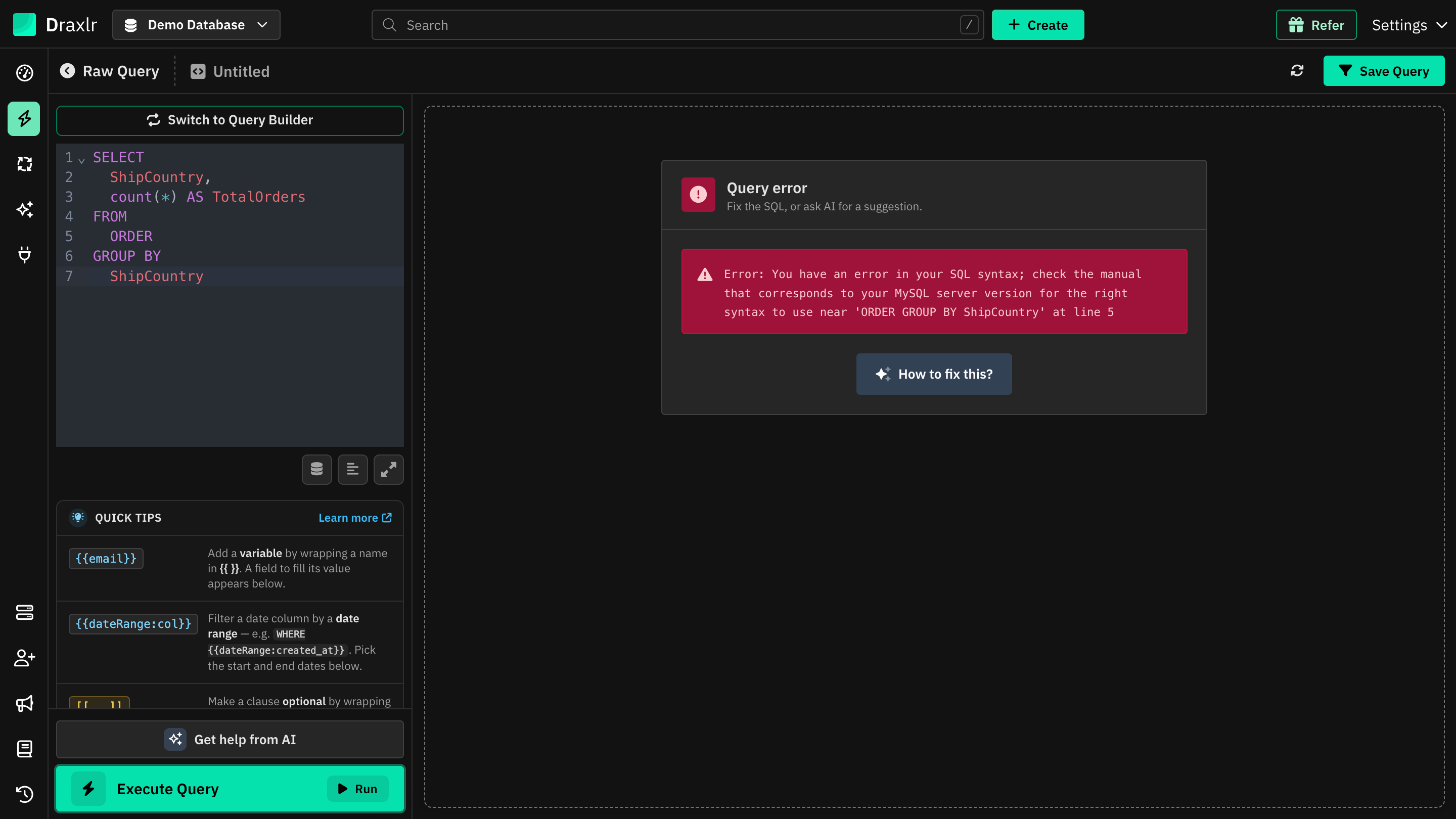
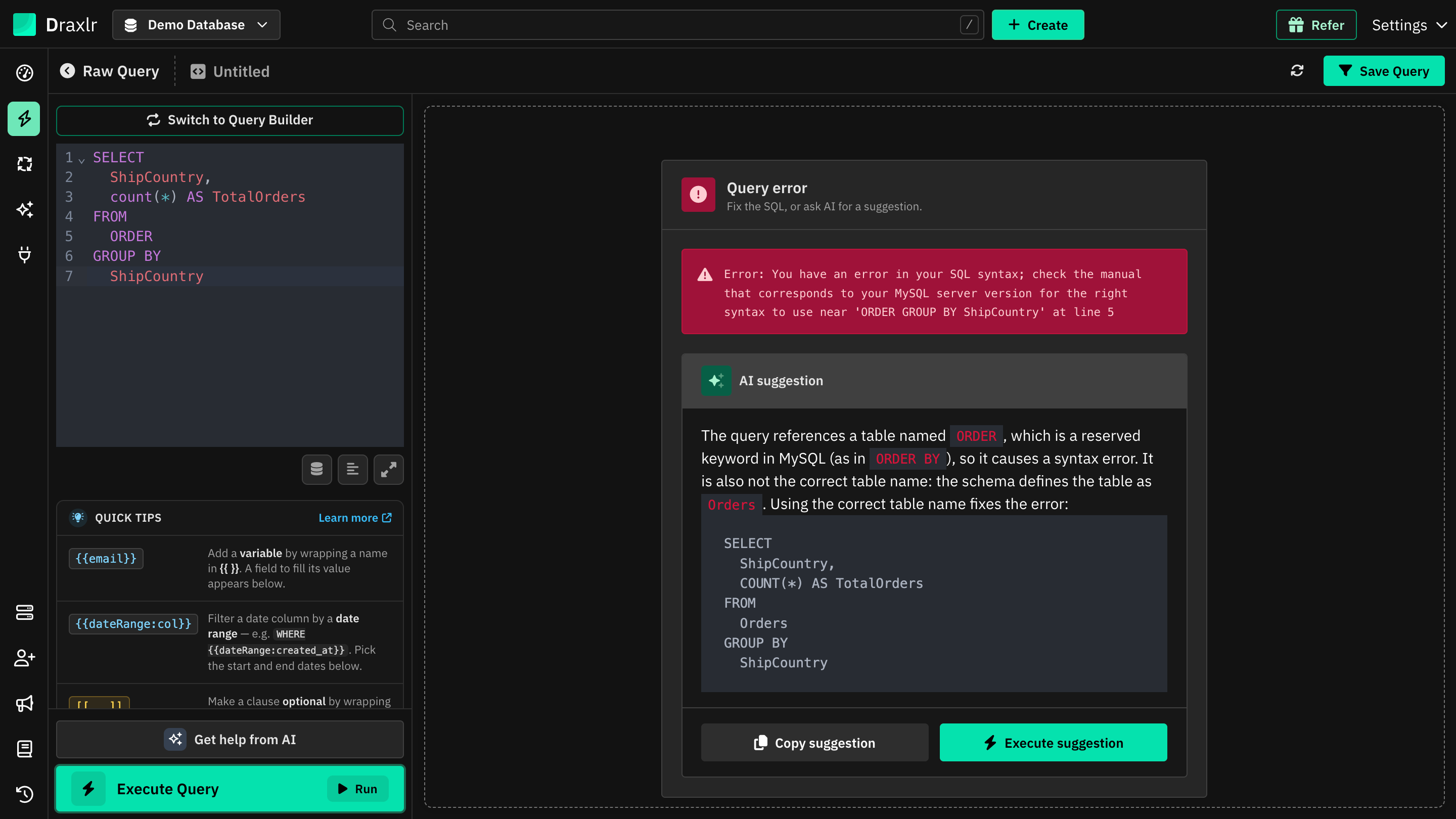
When a query fails, the Query error panel shows the database's message. Click How to fix this?
How to Fix a SQL Error with AI
- Run your query in the Raw SQL editor.
- If it fails, the Query error panel shows the error from your database.
- Click How to fix this? Draxlr AI looks at your query and the error.
- Review the AI suggestion. It explains what caused the error and shows a corrected query.
- Choose what to do with it:
- Execute suggestion replaces the query in the editor with the fix and runs it.
- Copy suggestion copies the corrected SQL so you can paste it where you want.
Good to Know
- How to fix this? appears for raw SQL queries. For Query Builder queries, review and update the steps in the left panel.
- Each suggestion uses AI credits from your plan.
- Always check the suggested query before relying on its results, especially when the AI had to guess a table or column name.
- To change a query that runs fine, use Edit SQL with AI instead.