Raw SQL
Learn how to write and run raw SQL in Draxlr, format your queries, add variables with double curly braces, and make filters optional with bracketed sections.
This guide will walk you through running raw SQL queries directly in Draxlr. Follow the steps below to switch to Raw Query mode, write queries, and view results.
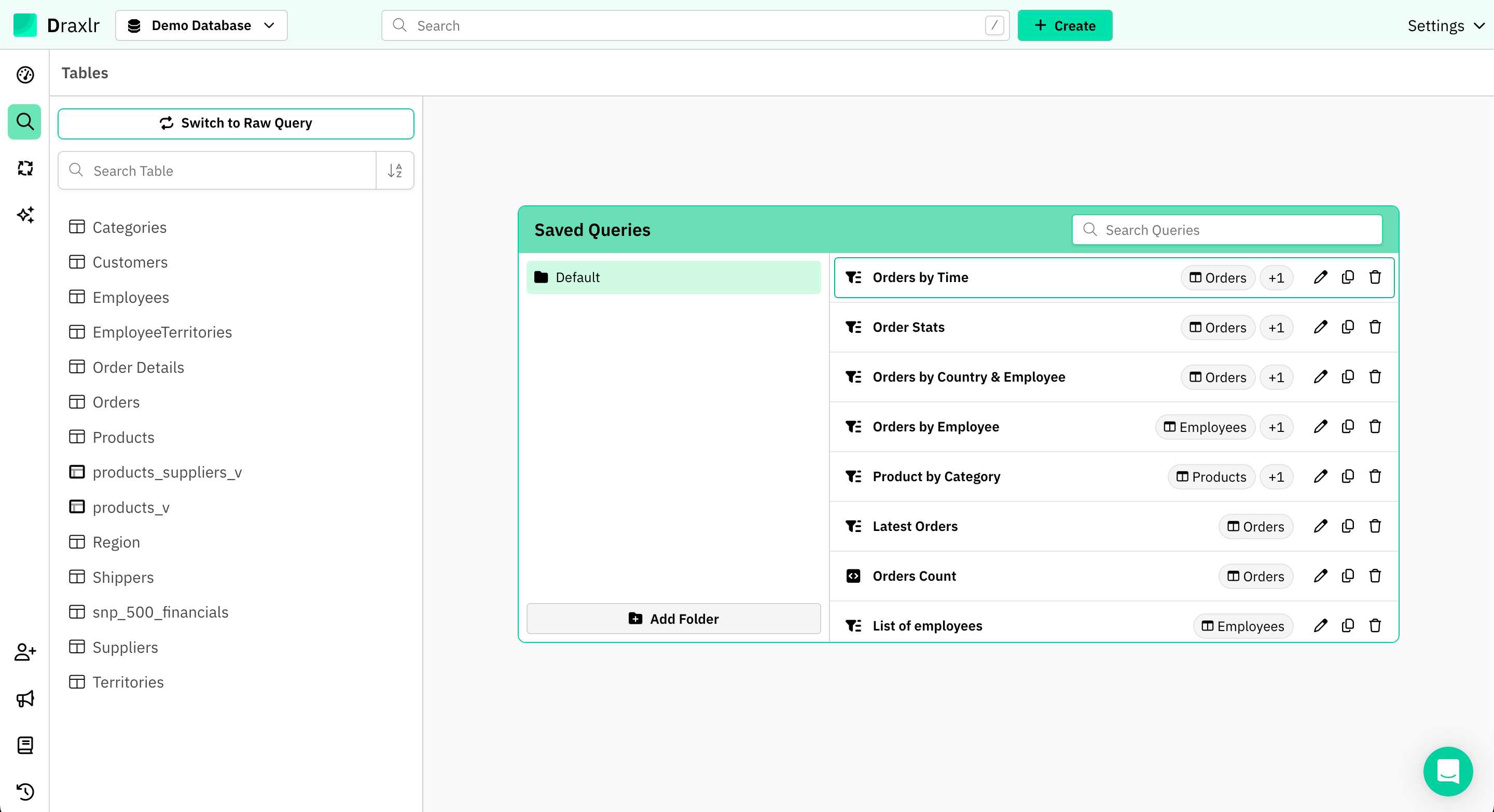
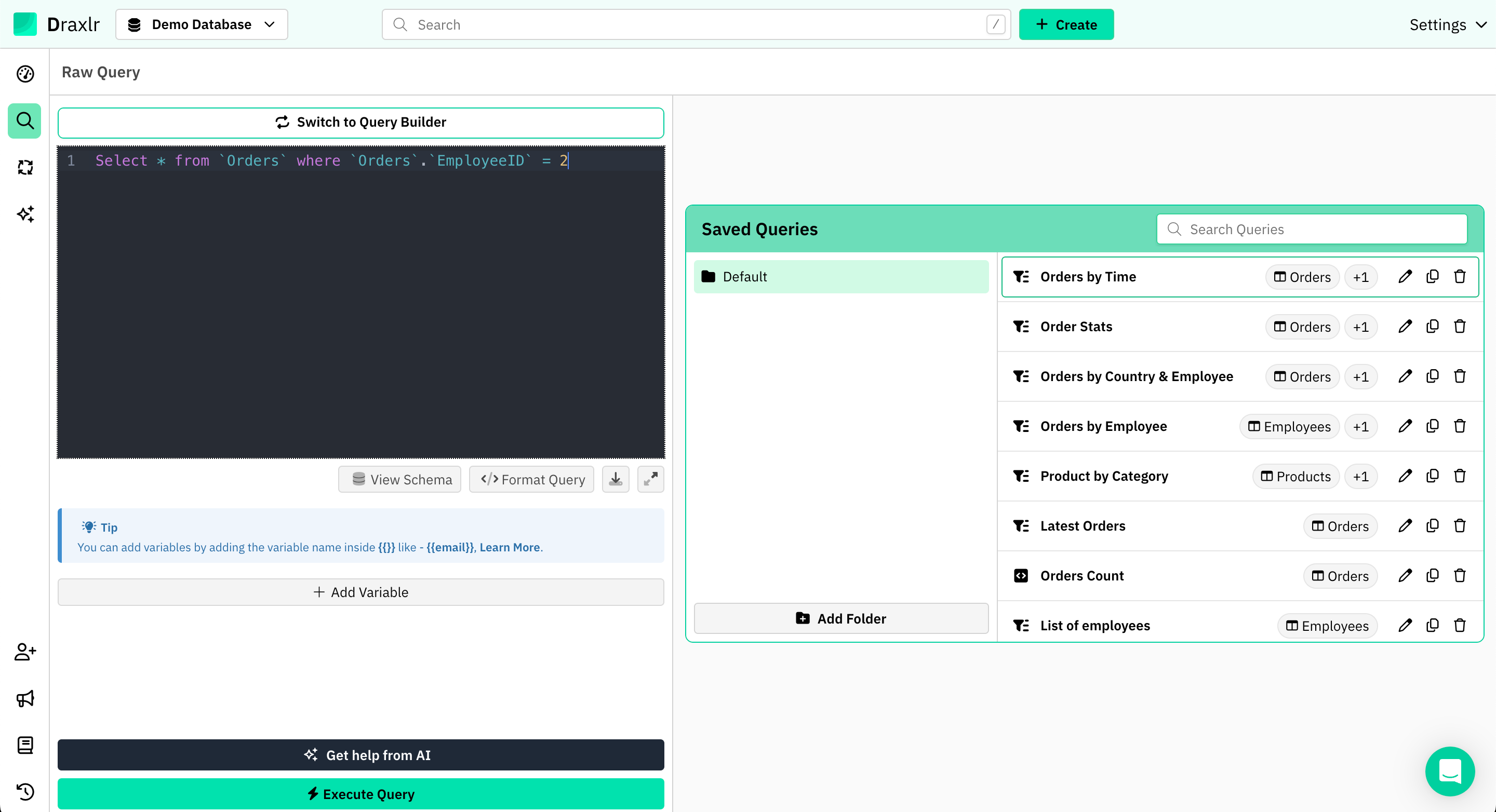
Switch to Raw Query mode.
How to run Raw SQL Code?
1. Switch to Raw Query Mode
Click on Switch to Raw Query to enter the raw SQL editor.
2. Enter Your SQL Query
In the editor area, type your SQL query. For example:
SELECT * FROM `Orders` WHERE `Orders`.`EmployeeID` = 2;
3. Format the SQL Query
Click on Format Query to beautify and organize the SQL code for better readability.
4. Add Variables (Optional)
You can add variables to your queries using double curly braces.
For example: {{employeeId}}
SELECT * FROM `Orders` WHERE `Orders`.`EmployeeID` = {{employeeId}};
5. Set Variable Data Type and Value
Choose the appropriate data type (e.g., Numeric, String) and enter a value for the variable.
6. Execute the Query
Click on Execute Query to run your SQL statement and display the results in a tabular format.
Making a Section Optional
Sometimes you want part of your query to run only when a variable has a value — an optional filter, for example. Wrap that part of the query in double square brackets [[ ... ]] to make it optional.
When the variable inside an optional section is left empty, the entire section is removed before the query runs. When you provide a value, the section is included and the variable is substituted as usual.
SELECT * FROM `Orders`
[[WHERE `Orders`.`EmployeeID` = {{employeeId}}]];
- Leave employeeId empty → the query runs as
SELECT * FROM Ordersand returns all rows. - Enter a value → the
WHEREclause is applied.
Any variable used inside an optional section shows an Optional badge in the variables panel, and its value field can be left blank.
Combining multiple optional filters
To use several optional filters together, start with a clause that is always true (such as WHERE 1 = 1) and put each filter in its own [[ ... ]] block:
SELECT * FROM `Orders`
WHERE 1 = 1
[[AND `Orders`.`EmployeeID` = {{employeeId}}]]
[[AND `Orders`.`Status` = {{status}}]];
Each block is included independently, based on whether its variable has a value.
Good to know:
If an optional section contains more than one variable, the section is included only when all of its variables have a value. If any of them is left empty, the whole section is skipped.
Summary
- Switch to Raw Query mode.
- Write or paste your SQL query.
- (Optional) Add variables for dynamic inputs.
- (Optional) Wrap a clause in
[[ ]]to skip it when its variable is empty. - Format the SQL for readability.
- Execute the query to view results.
This allows you to explore your data flexibly using raw SQL while benefiting from Draxlr’s interactive environment.