Query Builder > Join
Learn how to join tables in Draxlr's no-code Query Builder using detected foreign key relationships or custom joins, with INNER, LEFT, or RIGHT join types.
Draxlr’s Join feature lets you combine data from multiple tables—just like SQL JOINs—without having to write a query.
You can add joins automatically using foreign key relationships, or define custom joins between any tables and fields.
How to Use the Join Feature?
1. Open the Join Modal
- Click Join in the left sidebar.
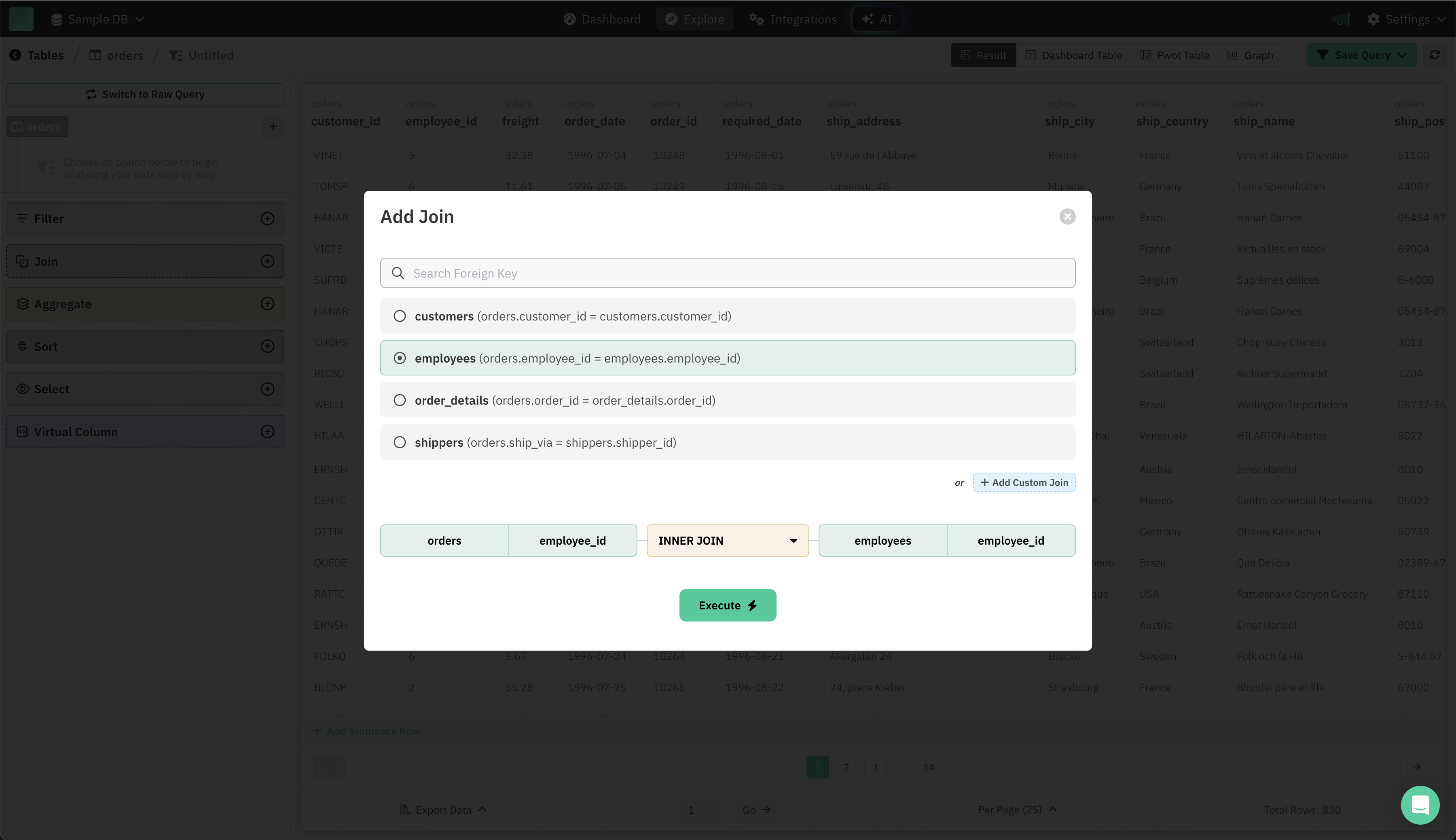
- The "Add Join" dialog will open, showing all available join options.
2. Add a Join Using Foreign Keys
- Draxlr automatically detects foreign key relationships between your tables.
- You’ll see a list of tables you can join, each with the join condition (e.g.,
orders.employee_id = employees.employee_id). - Select the table you want to join.
- The join type (INNER JOIN by default) and join fields are automatically filled in.
- You can adjust the join type if needed (e.g., LEFT JOIN, RIGHT JOIN).
- Click Execute to add the join.
3. Add a Custom Join
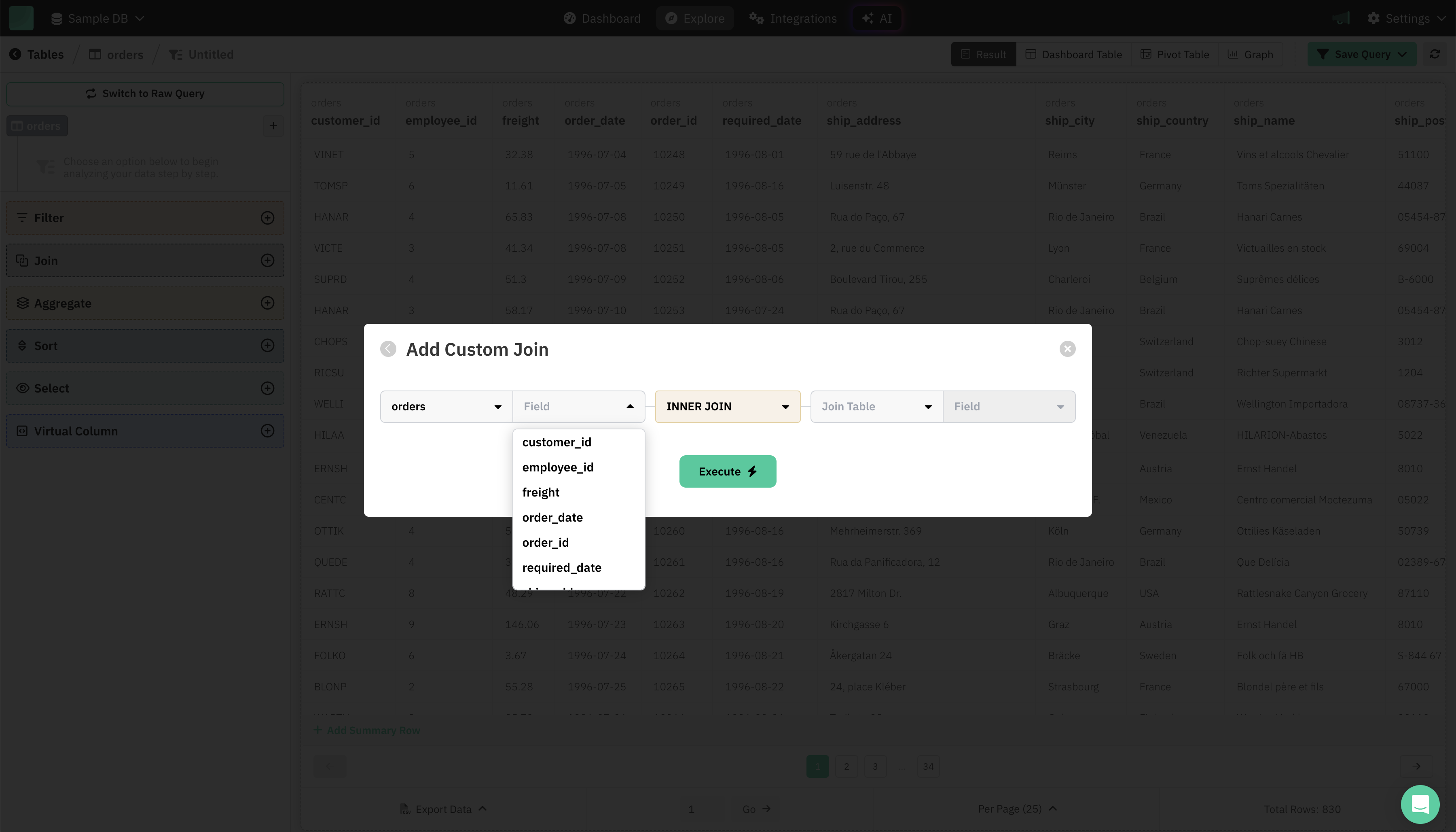
- Click + Add Custom Join at the bottom of the join dialog.
- Choose:
- The base table and field
- Join type (INNER, LEFT, RIGHT, etc.)
- The table you want to join and its field
- This allows you to create joins even when no foreign key is defined in the database.
- Click Execute to apply the custom join.
Tips
- Use pre-populated joins for quick and accurate connections between tables.
- Build custom joins when you need more flexibility or your schema lacks foreign keys.
- Multiple joins: You can add more than one join to combine data from several tables.