Query Builder > Virtual Column
Learn how to create virtual columns in Draxlr with SQL formulas, string functions, or CASE logic on existing fields, or generate them with AI, then filter, sort, and aggregate them.
Virtual Columns in Draxlr let you create custom columns using formulas, text, or logic based on your existing table fields.
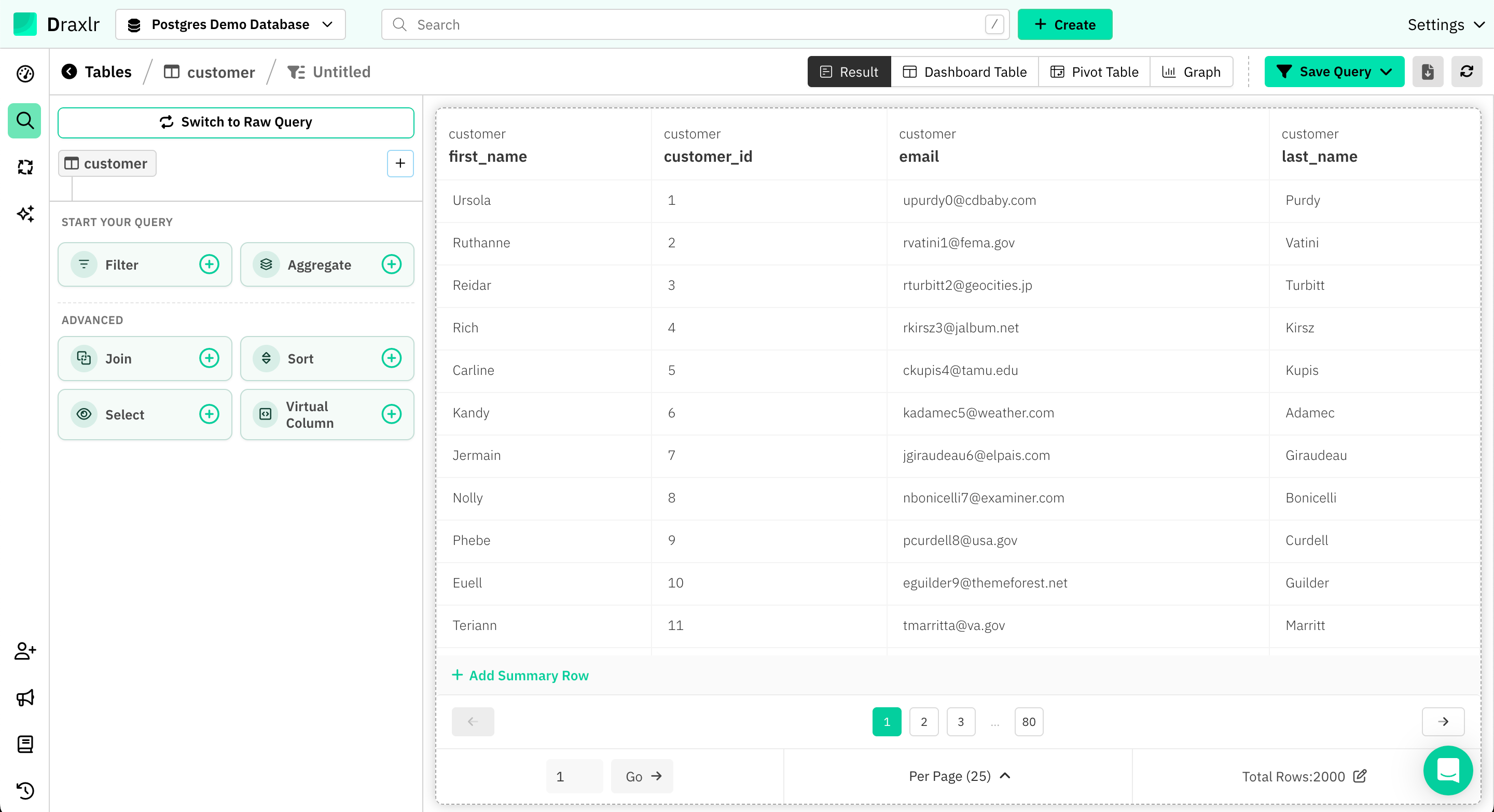
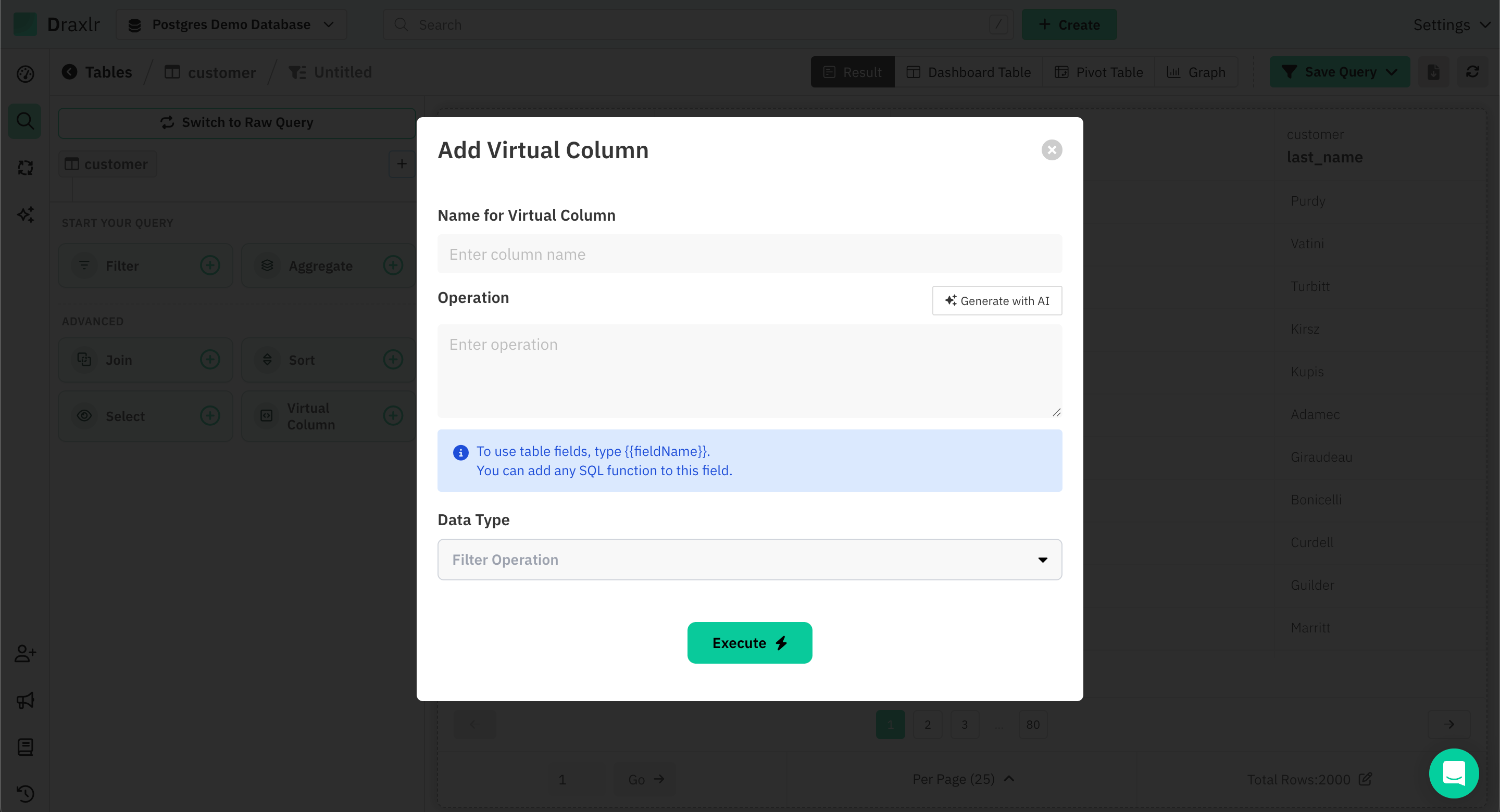
Open a table and click Virtual Column under Advanced in the left panel.
Supported databases:
Virtual columns are available for PostgreSQL (including Supabase), Amazon Redshift, YugabyteDB, CockroachDB and SQL Server databases.
How to Create a Virtual Column?
-
Open the Virtual Column Dialog
- In the left panel, click Virtual Column. Before your first step, it's under More options. After that, it's in the toolbar below your query steps.
-
Define Your Virtual Column
- Name for Virtual Column: Use letters, numbers and underscores only. The name can't match an existing column.
- Operation: Enter an SQL expression. To use a field, type
{{and pick it from the list, for example{{public.orders.Quantity}}. You can use:- Arithmetic operations (e.g.,
{{public.orders.Quantity}}::numeric * {{public.orders.Unit_Price_USD}}::numeric) - String functions (e.g.,
{{public.users.first_name}} || ' ' || {{public.users.last_name}}) - Conditional logic (e.g.,
CASE WHEN {{public.orders.amount}} > 1000 THEN 'High' ELSE 'Low' END)
- Arithmetic operations (e.g.,
- Generate with AI: Click it, describe the column in the AI Prompt box, and click Generate to fill in the operation for you.
- Data Type: Choose Text, Numeric, Boolean, Date or Date-Time.
-
Apply and Use
- Click Execute to add the column to your results.
- Your new virtual column appears in your data table, and the step shows in the left panel.
SQL Databases & their operations
| Database Type | List of Operations / Functions |
|---|---|
| PostgreSQL | PostgreSQL Functions and Operators |
| Supabase | PostgreSQL Functions and Operators (Supabase is PostgreSQL compatible) |
| Redshift | Amazon Redshift SQL Functions |
| YugabyteDB | YugabyteDB SQL Functions (YSQL/PostgreSQL) |
| CockroachDB | CockroachDB Functions and Operators |
| SQL Server | SQL Server Functions (Transact-SQL) |
What can you do with Virtual Columns?
- Filter: Apply filters using your virtual column just like any other column.
- Sort: Sort your data based on your new virtual column.
- Aggregate: Use virtual columns in aggregations (sum, average, etc.).
- Combine: Create multiple virtual columns and use them together.
Example Use Cases
- Calculations:
Total_Price={{public.orders.Quantity}}::numeric * {{public.orders.Unit_Price_USD}}::numeric - String Concatenation:
full_name={{public.users.first_name}} || ' ' || {{public.users.last_name}} - Category Creation:
result=CASE WHEN {{public.scores.score}} > 80 THEN 'Pass' ELSE 'Fail' END
Tips
- Virtual columns do not modify your database; they exist only in your query.
- To change a virtual column's operation or data type, click the edit icon on its step. The name can't be changed after it's created.
- Use SQL functions and expressions supported by your database. If a field is stored as text, cast it first (for example,
::numericin PostgreSQL) before doing math on it.