Embed Dashboard > Row-level Security
Use row-level security with a Draxlr dashboard embed so each customer sees only their own rows, by sending an RLS group and attribute values from your backend.
If your database holds data for many customers, use row-level security (RLS) so each customer sees only their own rows in the embedded dashboard.
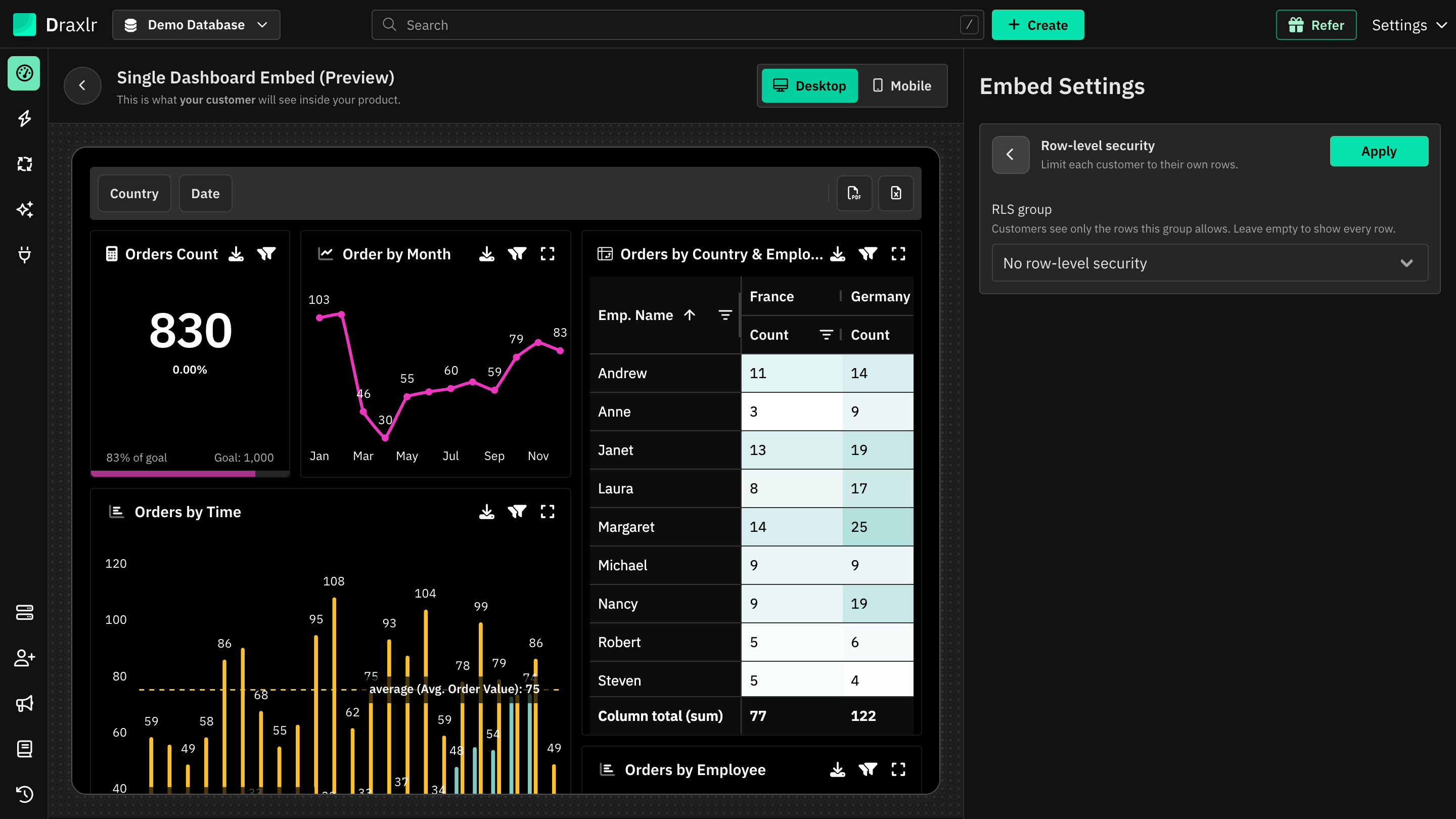
Without RLS, the embed shows every row:
If you don't pass an rlsGroup, the embed shows all the data the dashboard's queries return. For customer-facing embeds, use an RLS group.
How it works
RLS in the embed uses the same Permissions and Groups as RLS for team members:
- A permission decides which tables are available and adds row filters, such as
account_id = {accountId}. - A group attaches the permission. The group doesn't need any members to be used in an embed.
- When your backend requests the embed URL, it names the group (
rlsGroup) and sends the signed-in customer's attribute values, such asaccountId: 42.
Draxlr applies the group's rules with those attribute values to every dashboard element, filter, drill down and export in the embed. Elements that use tables the permission doesn't allow show a permission error instead of data.
Set it up
Create a permission and a group
Follow RLS: Create a Permission to choose the tables and add row filters that use an attribute, such as account_id equals the accountId attribute. Then create an RLS group that uses this permission.
Pick the group in the embed builder
In the embed builder, click Row-level security and select the group. Draxlr lists the attributes the group's rules use for this dashboard's database. Enter values to preview the dashboard as a specific customer, then click Apply. Click View group to open the group's settings.
Request the embed URL from your backend
Click Open embed code. Use backend API is turned on and can't be turned off while a group is selected. The backend request already includes rlsGroup and the attribute values you entered. Copy it to your backend and replace the attribute values with the signed-in customer's values.
Render the embed URL
Pass the embedUrl from the response to the frontend code as data-embedUrl. Embed URLs are valid for 24 hours.
curl -X POST https://api.draxlr.com/api/dashboardGroup/generate-embed-url/YOUR_DASHBOARD_ID \
  -H "Content-Type: application/json" \
  -d '{
    "apiKey": "YOUR_API_KEY",
    "apiSecret": "YOUR_API_SECRET",
    "embedOptions": {
      "rlsGroup": "Customers",
      "attributes": { "accountId": 42 }
    }
  }'
The request in the embed code also includes your filters and configuration in embedOptions. Keep them as they are, with rlsGroup and attributes alongside them. When you embed a single dashboard element, the request goes to /api/dashboard/generate-embed-url/YOUR_ELEMENT_ID instead; the embed code fills in the right URL. See Generate Embed URL API.
If your plan doesn't include RLS, the Row-level security setting says so and can't be opened.
RLS needs the backend API:
rlsGroup can't be passed in the frontend-only embed code. Requests that try return the error Row-level security is only supported when generating the embed URL from your backend.
Attribute values
- Values you send take priority over values set on the group for the same attribute. Attributes you don't send fall back to the group's values.
- If an attribute has no value in either place, tables filtered by it return no rows, so the customer sees no data instead of another customer's data.
- Send values that match the rule: a number for numeric columns, and a list for "is one of" rules.
| Value | Example |
|---|---|
| Number | 42 |
| Text | "acme" |
| Boolean | true |
| List of numbers | [1, 2, 3] |
| List of text | ["EU", "US"] |
Errors
Errors are returned with success: false and an error message.
| Error | Cause |
|---|---|
Row-level security is only supported when generating the embed URL from your backend. | rlsGroup was passed in the frontend-only embed code |
rlsGroup must be the name of a row-level security group. | rlsGroup is empty or not text |
Your plan does not support row-level security. | rlsGroup was passed, but your plan doesn't include RLS |
Invalid rlsGroup. No row-level security group named "…" exists. | No RLS group has that name |
attributes must be an object of key-value pairs. | attributes isn't an object |
attributes.<key> must be a string, number, boolean, or a non-empty array of strings or numbers. | An attribute value has an unsupported type |
Good practices
- Always use RLS for customer-facing embeds. Leave it out only for internal users who should see everything.
- Set allowed domains. Restrict where the embed can load with Allowed domains.
- Generate embed URLs per visit. Embed URLs last 24 hours and can't be revoked one by one. When a customer loses access, stop issuing embed URLs for them; an existing embed URL keeps working until it expires.
- Change groups carefully. Before you delete or rename an RLS group used by the embed, update your backend to stop sending it. Existing embed URLs keep referring to it for up to 24 hours.