Share Dashboard > Public URL
Share a live Draxlr dashboard with people outside your workspace through a public URL protected by a 6-digit PIN, with preset filters you can hide, or share a single element.
A public URL shares a live dashboard with people who don't have a Draxlr account. Each dashboard link has its own 6-digit PIN, and viewers enter it to open the dashboard.
You can preset filter values for each link and hide filters so viewers can't change them. A dashboard can have several public URLs, for example one per client with different filters.
Here is a short interactive demo:
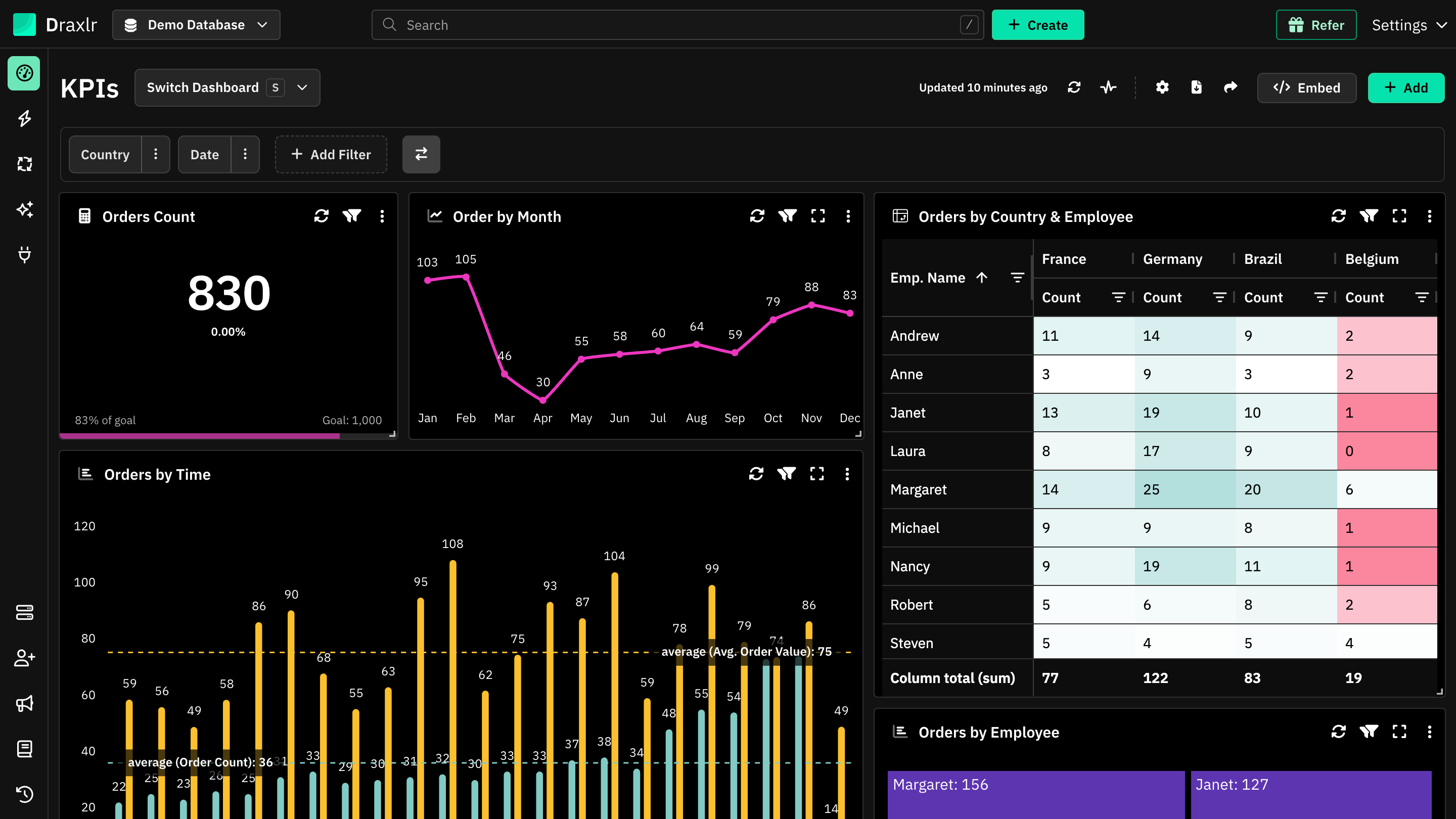
Open the dashboard and click the Share Dashboard icon at the top right.
Create a public URL
Open Share Dashboard
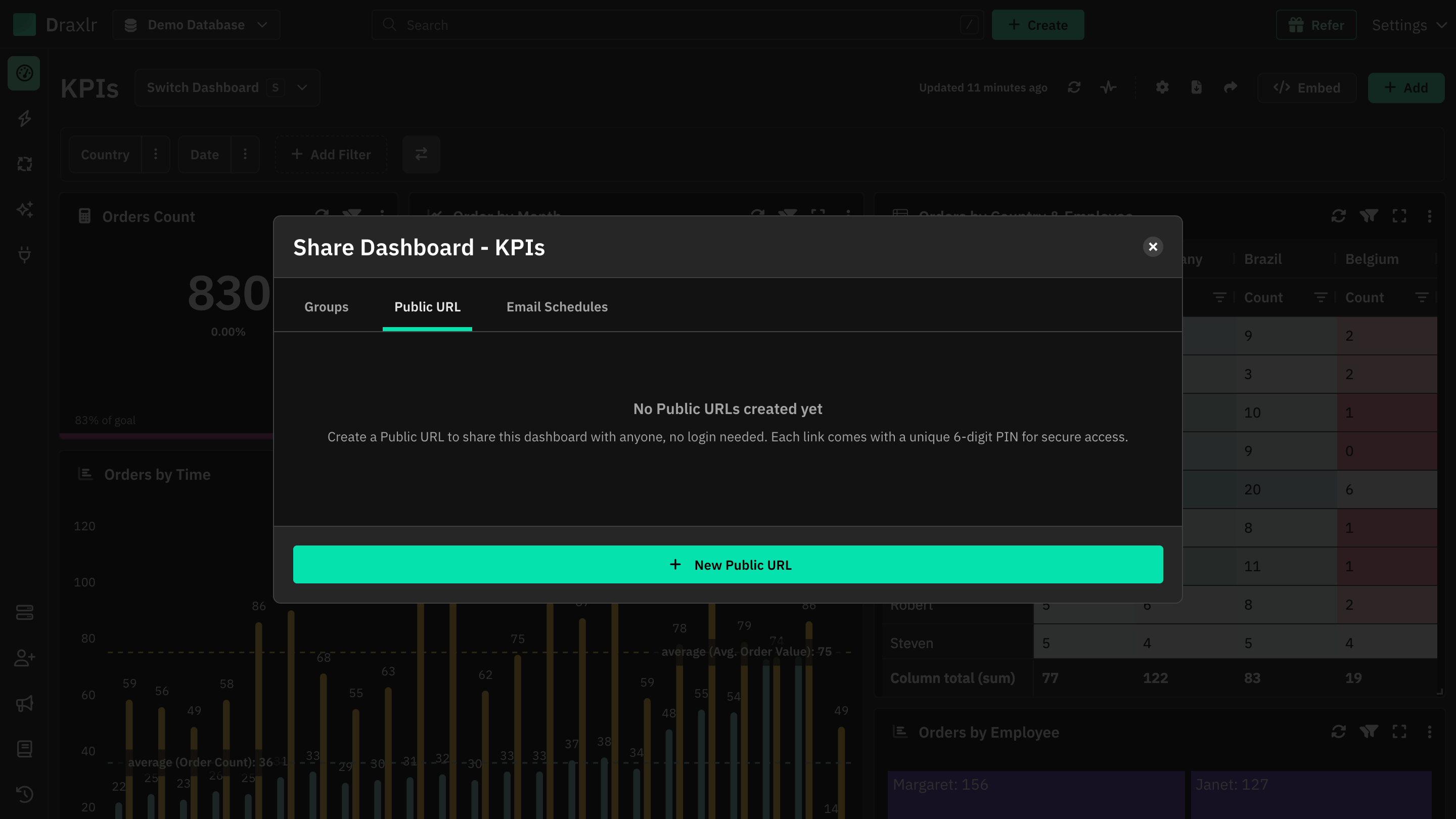
Open the dashboard and click the Share Dashboard icon at the top right. Switch to the Public URL tab.
Click New Public URL
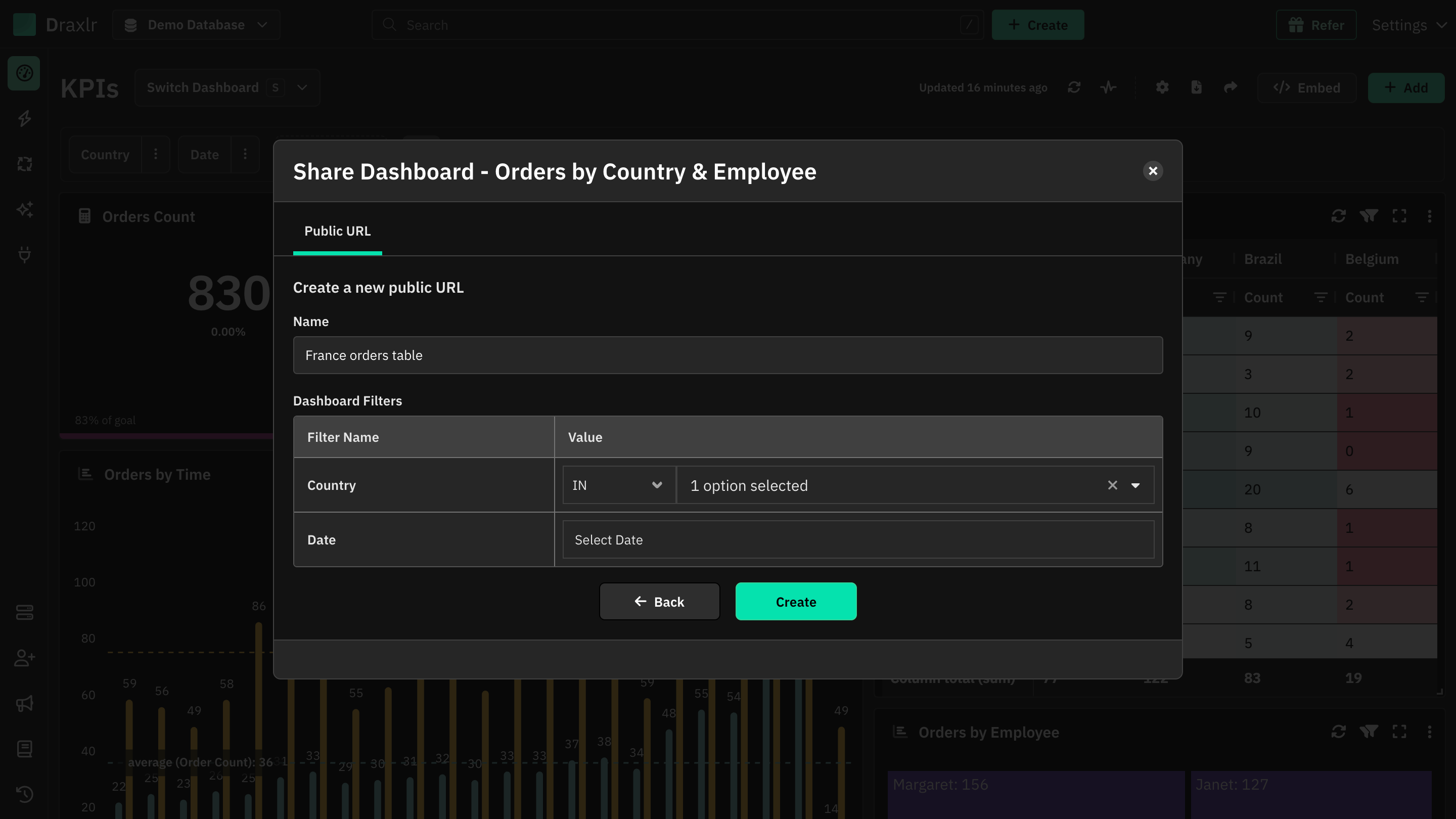
The form Create a new public URL opens.
Enter a name
The name is shown in your list of links, so make it descriptive, such as the client's name. It starts as New Link.
Set filters (optional)
Under Dashboard Filters, pick an operator and value for any filter. The public dashboard opens with these values applied.
Click the tick under Show Filter to hide a filter. A hidden filter isn't shown to viewers, but its value still applies, so viewers can't change it. Filters set to Hide for read-only users start hidden.
Click Create
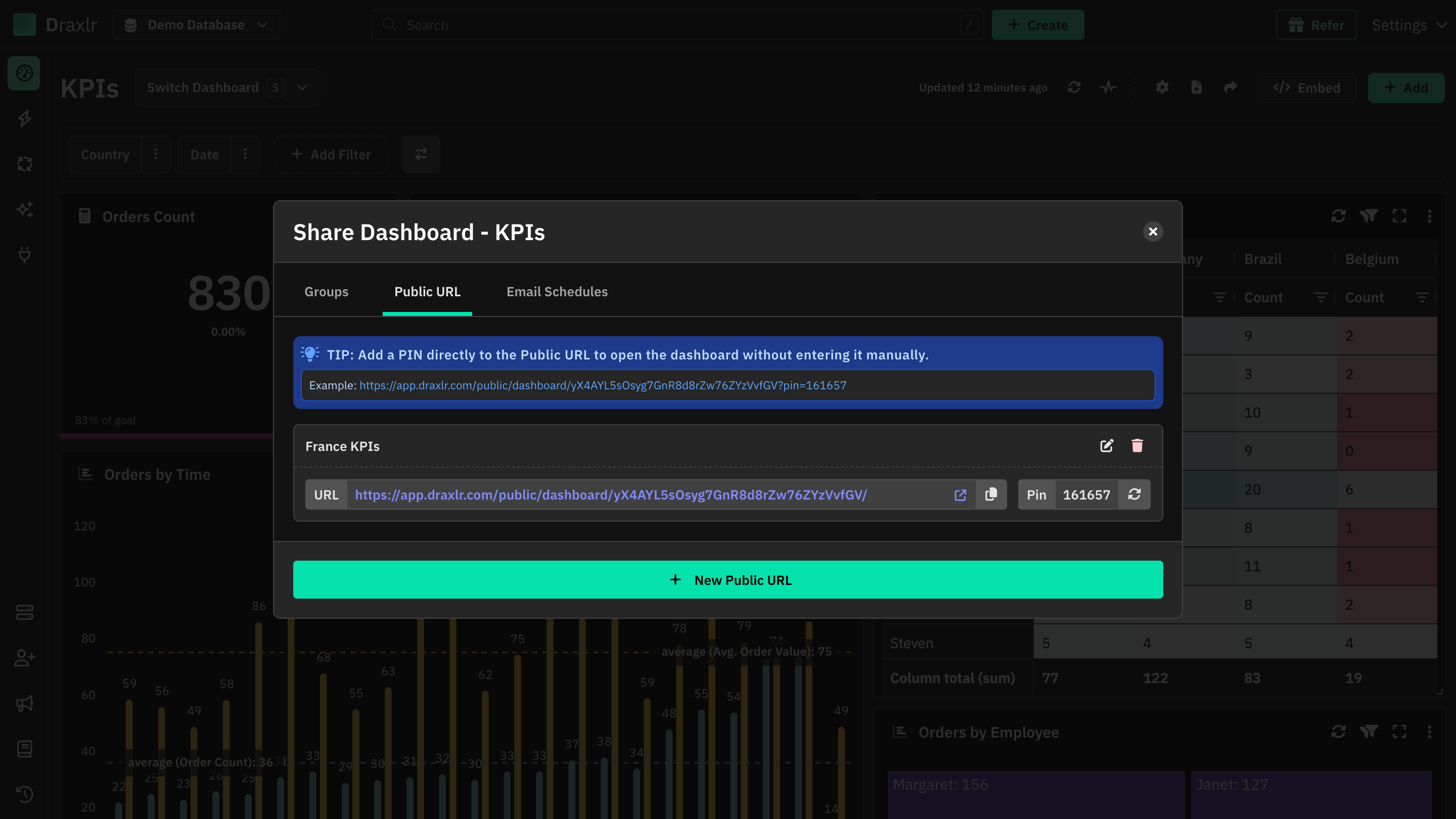
The link appears in the list with its URL and PIN.
Manage public URLs
Each link in the list shows:
| Item | What it does |
|---|---|
| URL | Click the arrow icon to open the public dashboard, or the copy icon to copy the URL. |
| Pin | Click the PIN to copy it. Click the rotate icon (Change Pin) to replace it with a new PIN. |
| Edit icon | Change the name and filters, then click Update. |
| Delete icon | Delete the link. Anyone with it can no longer open the dashboard. |
When you change the PIN, the old PIN stops working, including in URLs with ?pin=. Viewers whose browser saved the old PIN are asked for the new one.
Open without typing the PIN
Add ?pin= and the PIN to the end of the URL, for example https://app.draxlr.com/public/dashboard/YOUR_TOKEN/?pin=123456. The dashboard opens without the PIN screen. The tip at the top of the list shows this URL for your first link.
Anyone with this URL can open the dashboard, so share it as carefully as the PIN.
What viewers see
Viewers open the URL and see a PIN screen, Enter 6-digit PIN. After they enter the PIN and click Continue, the dashboard opens with your filter values. Their browser remembers the PIN, so they don't need to enter it again on that browser.
On the public dashboard, viewers can:
- Change the filters you left visible. Reset puts back the values you set.
- Download the dashboard as a PDF or Excel file.
- Download each element's data as a CSV.
- Use custom drill downs that open a link, a saved query or the same dashboard.
They can't edit the dashboard or use View data, Group by or Zoom in. The data is live, so they always see the latest numbers. A wrong PIN shows Incorrect PIN, and a deleted link shows Dashboard not found.
Everyone with the link sees the same data:
A public URL shows everything the dashboard shows. It doesn't apply row-level security. To show each customer only their own rows, use Embed Dashboard with row-level security.
Share a single element
To share one chart or table instead of the whole dashboard:
- Open the element's menu (⋮) and choose Share.
- Click New Public URL and enter a name.
- Under Dashboard Filters, set values for the filters linked to the element. For a Raw SQL element, set its variables under Raw Query Variables instead.
- Click Create, then copy the URL.
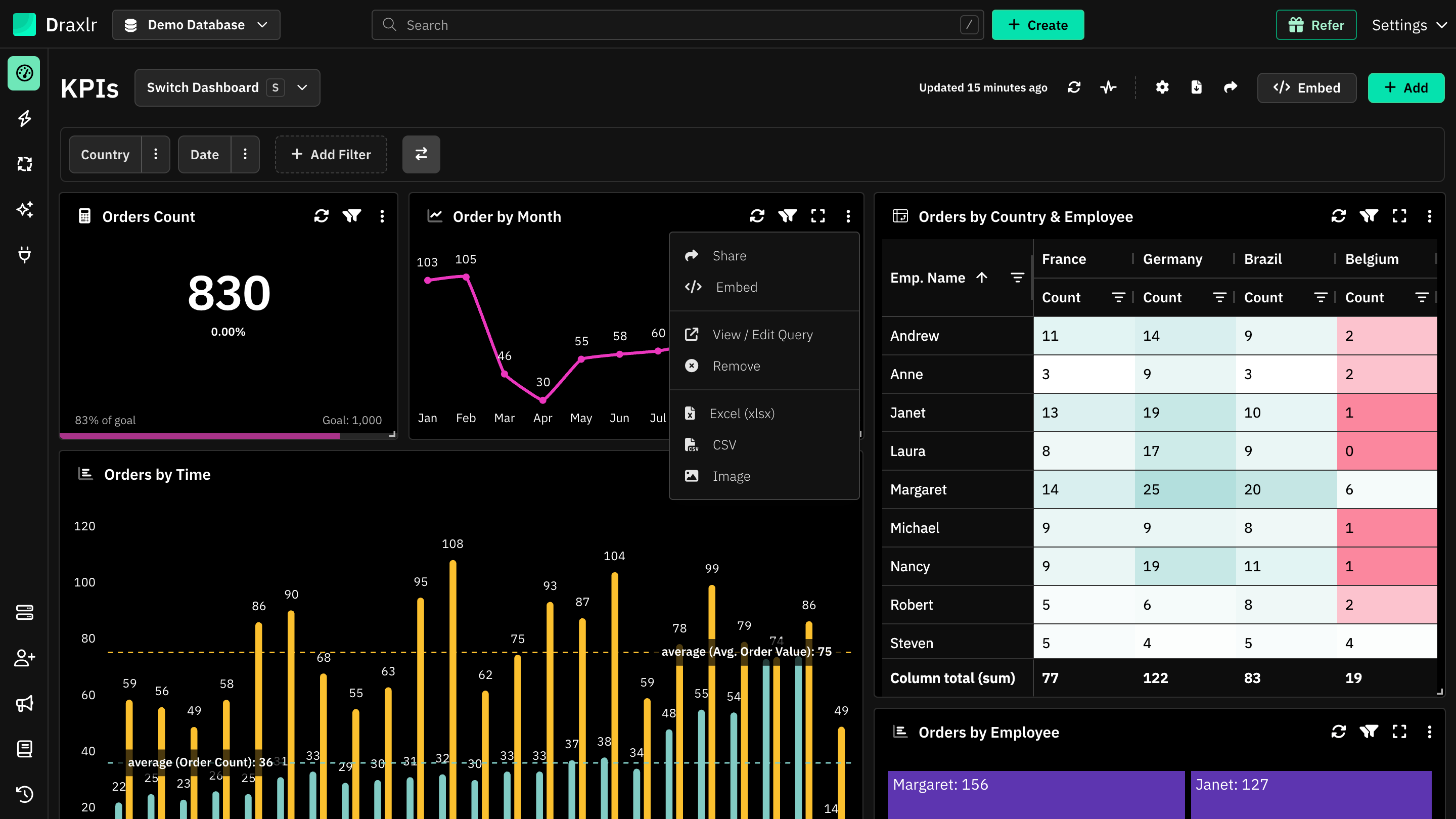
Single element links work differently from dashboard links:
- They have no PIN. Anyone with the URL can open the element.
- Viewers can't see or change filters. The values you set always apply.
- Viewers can't export the data or use drill downs.
Share isn't in the menu on mobile, or for members with Dashboard or RLS access.
Tips
- Make one link per audience: give each client or team its own link with its own filters and hidden filters, so you can change or delete one without affecting the others.
- Change the PIN when people leave: if someone shouldn't have access anymore, change the PIN and send the new one to everyone else, or delete the link.
- Email it on a schedule: to send the dashboard regularly, use Email Schedules. Recipients without a Draxlr account can get a public URL with a PIN in the email.